앱 · 고친 날 2026-11-25
QR 만들기 — 글이나 지금 탭 주소를 바로 QR로
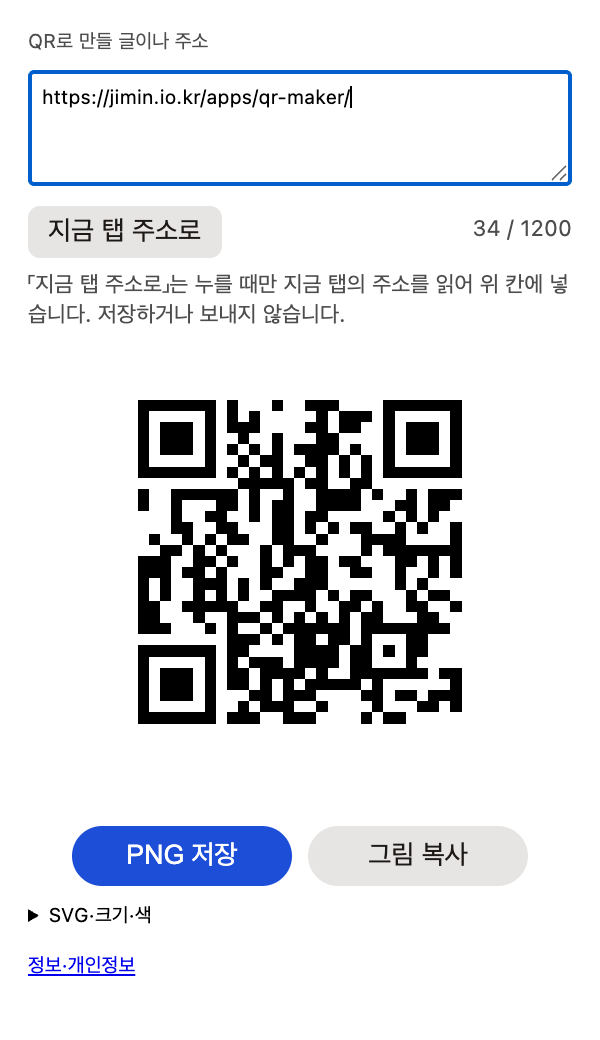
팝업에 글을 치면 치는 대로 QR 코드가 바뀝니다. 지금 보는 탭의 주소도 한 번 눌러 넣을 수 있습니다.
하는 일
- 글을 치거나 붙여 넣으면 바로 QR 코드를 그립니다.
- 「지금 탭 주소로」를 누르면 지금 탭의 주소를 넣습니다.
- PNG 그림으로 저장하거나, 그림을 복사해 붙여 넣을 수 있습니다.
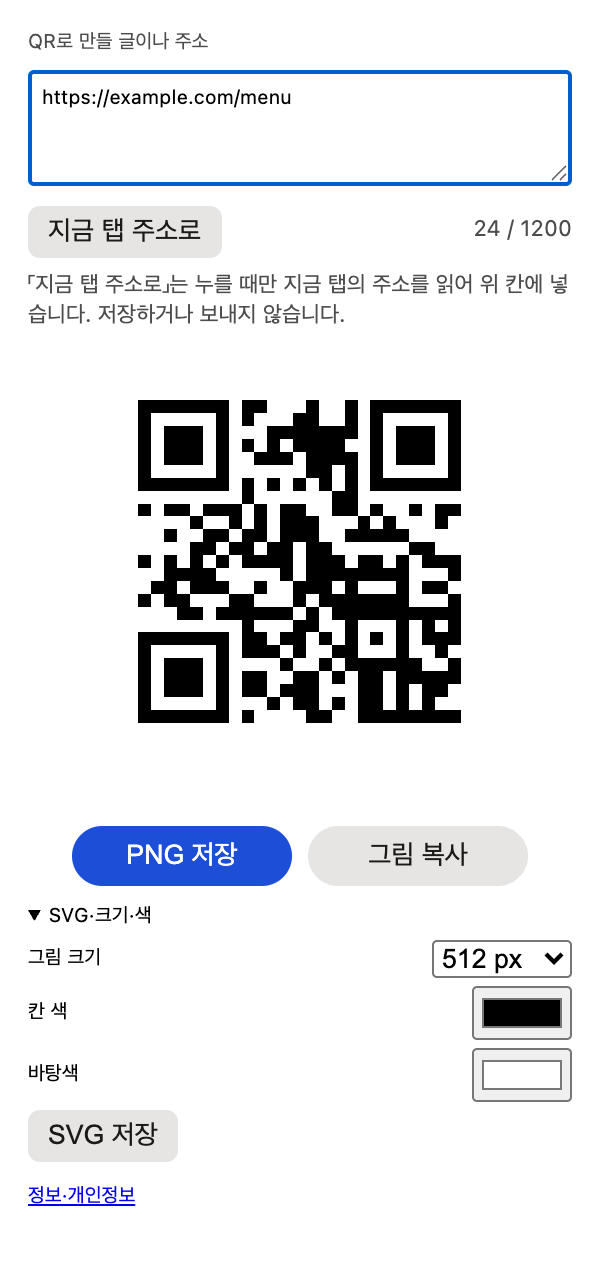
- 인쇄·디자인용 SVG 저장, 크기 256~2048px, 원하는 색을 고를 수 있습니다. 고른 크기와 저장된 그림의 크기가 같습니다.
- 저장 파일 이름은 날짜·시각이라, 와이파이 비밀번호나 주소가 파일 이름에 남지 않습니다.
모든 기능이 무료
- 구매·구독·광고가 없습니다.
모으지 않는 것
- 친 글, 탭 주소, 만든 그림을 확장 안에 저장하지 않고 어디로도 보내지 않습니다.
- 확장은 바깥으로 아무 요청도 보내지 않습니다(보안 정책으로 바깥 연결을 막아 두었습니다).
- 탭 주소는 버튼을 누를 때만 읽습니다. 페이지 내용은 읽지 않습니다.
- 「그림 복사」는 누를 때 클립보드에 그림을 쓰기만 합니다.
권한
activeTab— 「지금 탭 주소로」를 누를 때만 지금 탭의 주소를 읽어 QR로 만듭니다. 페이지 내용은 읽지 않습니다.
사용한 공개 소스
- QR 계산: qrcode-generator 1.4.4(Kazuhiko Arase, MIT)를 고치지 않고 저작권 고지와 함께 넣었습니다. 「QR Code」는 DENSO WAVE INCORPORATED의 등록 상표입니다.
설치
- 크롬 웹 스토어 — 준비 중 (스토어 심사 뒤 링크)
- 마이크로소프트 엣지 부가 기능 — 준비 중 (스토어 심사 뒤 링크)
- 파이어폭스 부가 기능 — 준비 중 (스토어 심사 뒤 링크)
같은 주소의 아이폰 앱 「그냥 QR」(QR 읽기·만들기)은 아직 출시 전입니다.
QR Maker — turn text or this tab’s link into a QR code
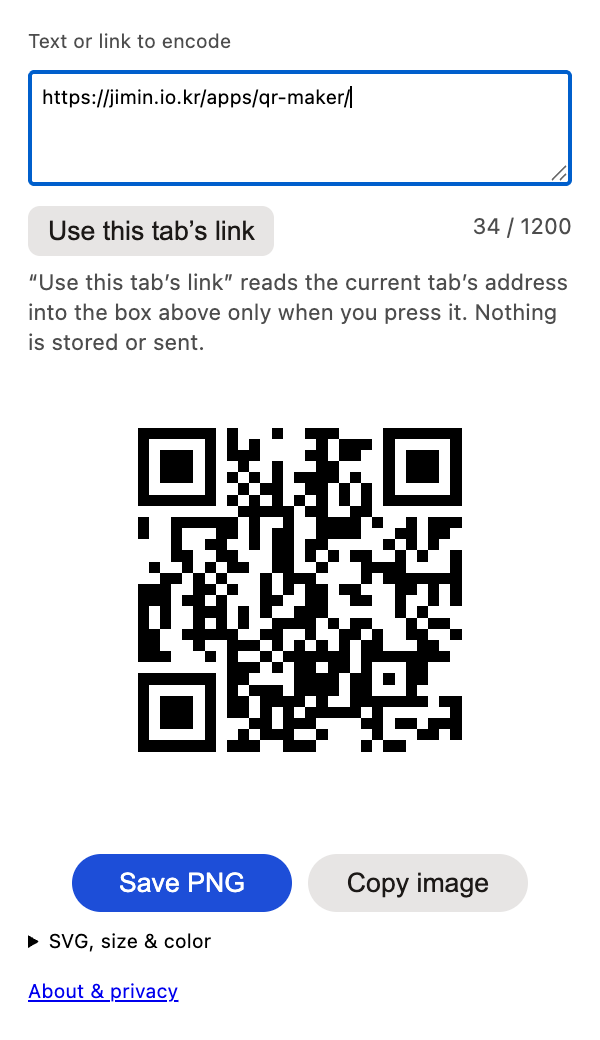
Type in the popup and the QR code updates as you type. You can also put the current tab’s link in with one click.
What it does
- Draws a QR code as soon as you type or paste text.
- “Use this tab’s link” puts the current tab’s address in the box.
- Save as a PNG image, or copy the image to paste anywhere.
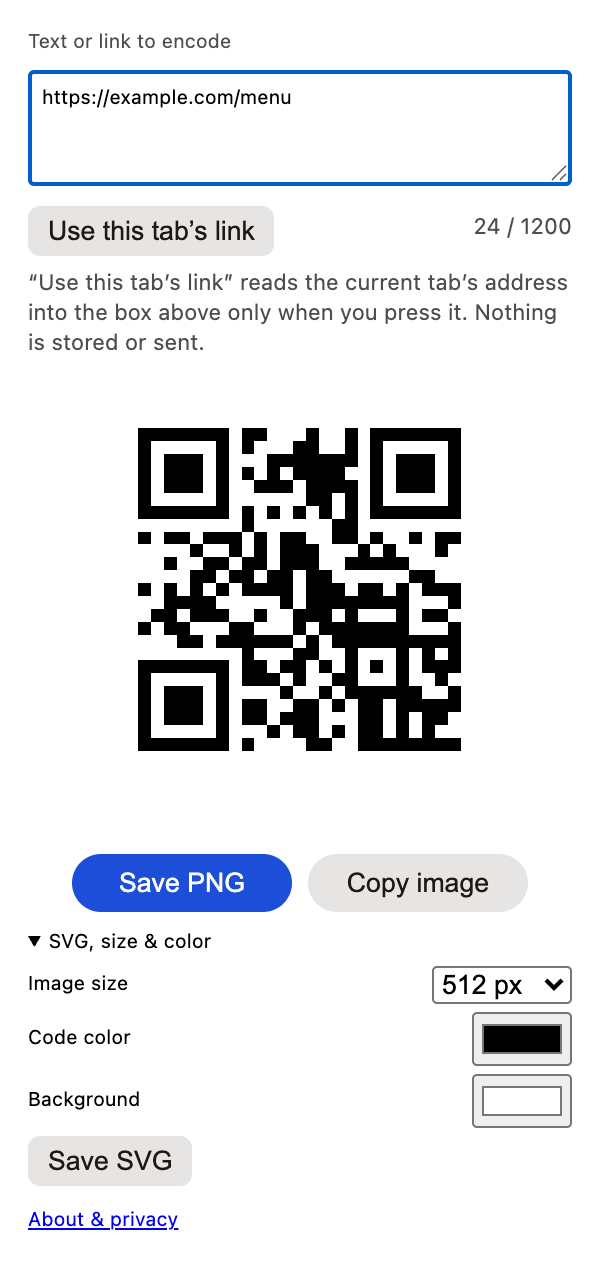
- SVG export, sizes from 256 to 2048 px, and your own colors for print and design. The saved image has exactly the size you chose.
- Saved files are named by date and time, so Wi-Fi passwords or links never end up in file names.
Every feature is free
- No purchases, subscriptions or ads.
What it does not collect
- Your text, the tab address and the images are not stored by the extension and are never sent anywhere.
- The extension makes no network requests (its security policy blocks outside connections).
- The tab address is read only when you press the button. Page contents are never read.
- “Copy image” only writes the picture to your clipboard when you press it.
Permissions
activeTab— Reads the current tab’s address only when you press “Use this tab’s link”, to make a QR code. Page contents are never read.
Open source used
- QR generation: qrcode-generator 1.4.4 by Kazuhiko Arase (MIT), included unmodified with its copyright notice. “QR Code” is a registered trademark of DENSO WAVE INCORPORATED.
Install
- Chrome Web Store — Coming soon (link after store review)
- Microsoft Edge Add-ons — Coming soon (link after store review)
- Firefox Add-ons — Coming soon (link after store review)
The iPhone app “Just QR” (read and make QR codes) at this address has not been released yet.